Full day rate: $85.00
Total including 5% insurance & 10% GST : $98.18
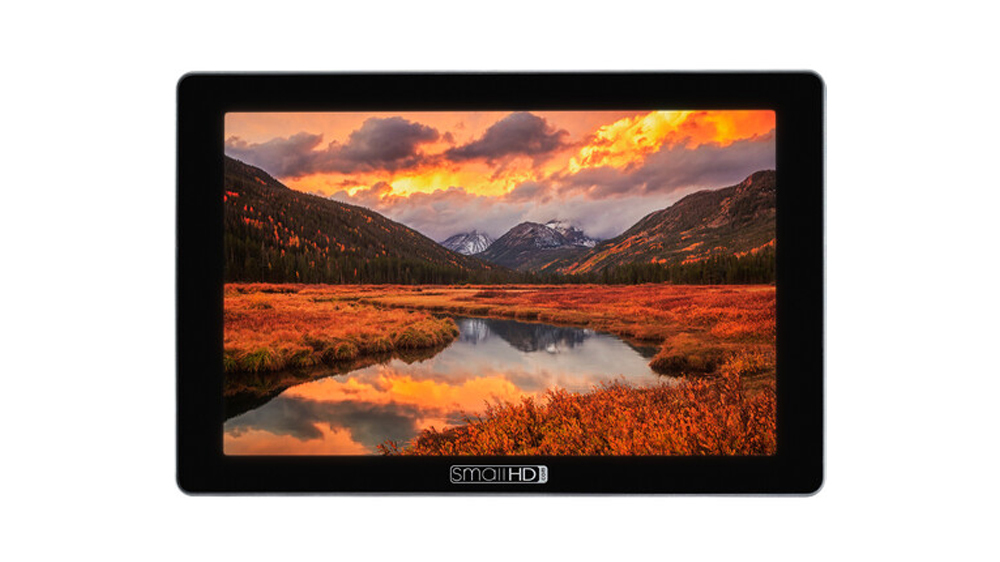
THE NEW INDUSTRY STANDARD 7”
Cine 7 is the ultimate 7” on-camera monitor for cinematographers, offering a colour accurate wide-gamut display, cinema camera control, & integrated Teradek RT & Bolt functionality.

BRILLIANT COLOUR & BRIGHTNESS
The Cine 7’s display will blow you away. With a DCI-P3 wide-colour gamut & crystal clear daylight visibility, Cine 7 gives you the ultimate combination of breathtaking image clarity & accuracy, even under direct sunlight.
.jpg)
.jpg)
.jpg)
CINEMA CAMERA CONTROL
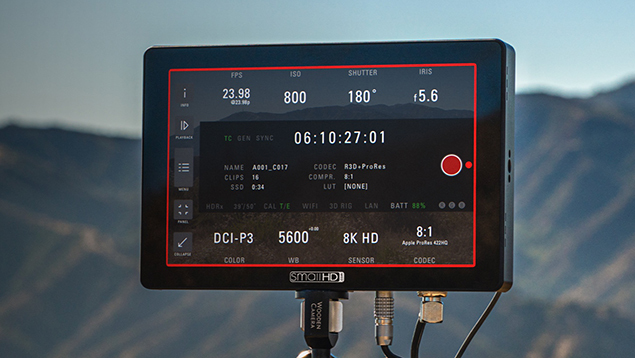
Take control of your camera directly from the Cine 7 touchscreen interface. Trigger record start/stop & change essential camera settings such as iris, ISO, frame rate, & so much more, all in real-time. Cine 7 can be outfitted with several control licenses so it can be used seamlessly across RED & ARRI cameras.
*Requires camera-specific cable & license
.png)
.jpg)
GO WIRELESS WITH CINE 7
Plug in seamlessly to any wireless set with integrated Teradek Bolt transmitter & receiver models.
.jpg)
BUILT FOR PROFESSIONALS
With several 3G-SDI & HDMI inputs & outputs, built-in signal cross conversion, & your choice of Gold-, V-, or Sony power plates, the Cine 7 is ready for action on any A-list production. Its milled aluminium chassis is
designed to withstand regular abuse on set & the several ¼-20” mounting points allow you to mount the monitor in just about any orientation you need.
.jpg)
.jpg)
For a trouble free experience please follow these steps.
Step 1:Explore the options then add your gear to the Camera Bag. If what you’re after is not listed please add it in comments or simply Contact Us.
Step 2:View your Camera Bag & select the date & duration of the hire including the desired collection time.
Step 3:Once you're done review your Camera Bag & add any special requirements in the Message field. Urban Cine will follow up with questions &/or answer your questions.
Step 4:Submit to request a quote. You'll receive a copy. Urban Cine will send you a formal quote if required.
Step 5:Pick Up & Return: Typically after 2:00pm the day before the hire, & by 11:00am the day after the hire. Picking up the day before gives you the opportunity to familiarise yourself with the equipment & check that everything is in order before your shoot the next day.
Step 6:Payment: For new customers payment is required prior or on collection. If you have a history with Urban Cine a credit account may be offered.
Step 7:Insurance & ID: To ensure insurance for hired equipment is valid Urban Cine Pty. Ltd. asks you to verify your identity. By doing so you are supplying the required 100 points of ID. This will protect both you the Hirer & Urban Cine Pty. Ltd. You will receive a text message. Just follow the prompts. For more info see OCR Labs IDKit
Step 8:Using Equipment: It’s fair & reasonable to expect the hirer has the skillset to use equipment in a respectful & professional manner.
Step 9:Report Issues: Please report equipment failures & breakages. Feedback is important. If you’re experiencing issues with equipment on set please call us asap. Often issues can be rectified over the phone.